Claude Code Subagents: The Complete Guide to AI Agent Orchestration
The creator of Claude Code landed 259 PRs in 30 days by running 5+ AI agents in parallel. Learn how to create custom subagents, orchestrate parallel workflows, and multiply your development productivity.
Claude Code Subagents: The Complete Guide to AI Agent Orchestration
The creator of Claude Code landed 259 PRs in 30 days by running 5+ AI agents in parallel. Here's exactly how to set it up.
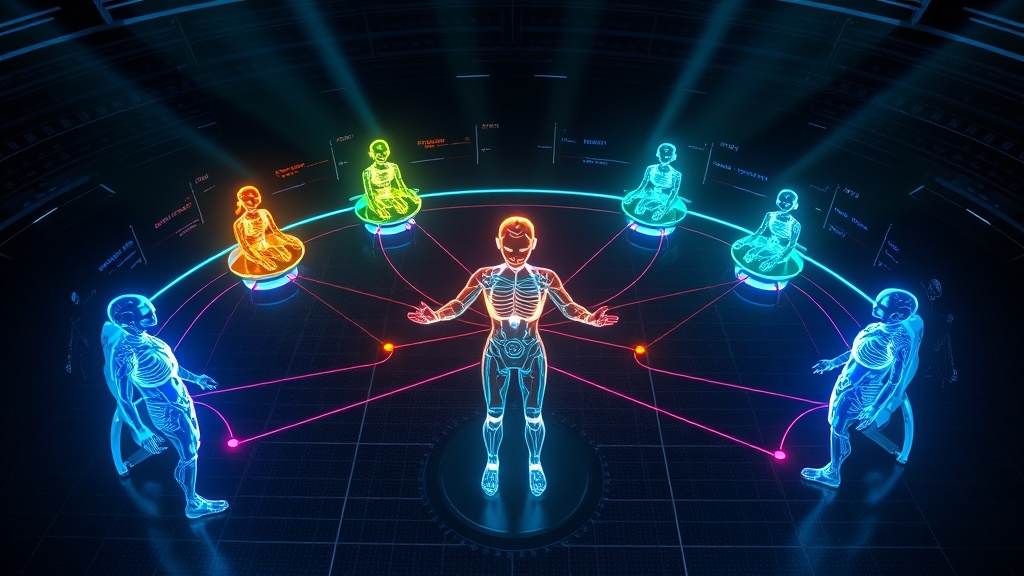
Boris Cherny, the creator of Claude Code, landed 259 pull requests in a single month. How? He runs 5+ AI agents in parallel, each specialized for different tasks. One researches the codebase, another writes code, a third reviews it, and a fourth runs tests—simultaneously.
This isn't some complex enterprise setup. It's a feature built into Claude Code that most developers don't know exists: subagents.
What Are Subagents?
Subagents are specialized AI assistants that run in isolated context windows. Each one has its own 200,000-token context, custom system prompt, and specific tool access.
The problem they solve is fundamental: when you ask a single AI to handle a complex task, its context window eventually fills up. It starts "forgetting" earlier details. Quality degrades.
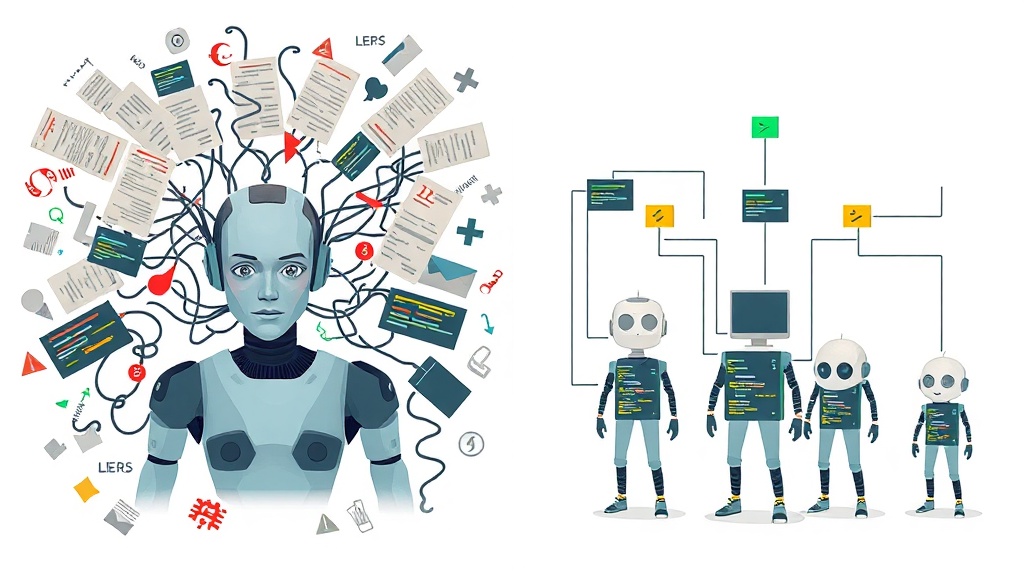
Subagents fix this by isolating work. The exploration stays in the Explore agent's context. The implementation stays in the coder's context. Only the relevant summary returns to your main conversation.
"Agents are not 'one big agent,'" Cherny explains. "They're modular roles. Reliability comes from specialization plus constraint."
The Built-in Subagents
Claude Code includes three subagents out of the box:
Explore is a fast, read-only agent optimized for codebase search. It uses the Haiku model for speed and automatically activates when Claude needs to understand code without making changes.
Plan is a research agent for plan mode. When you're designing an approach and Claude needs to gather context about your codebase, it delegates to Plan.
General-purpose handles complex, multi-step tasks requiring both reading and writing. It's the workhorse for tasks that don't fit neatly into exploration or planning.
Creating Your First Subagent
The fastest way is the /agents command:
- Run
/agentsin Claude Code - Select "Create new agent"
- Choose project-level (shared with team) or user-level (personal)
- Select "Generate with Claude" and describe what you want
- Configure tool access and model
- Save
That's it. No restart needed. Your agent is immediately available.
Manual Creation
Create a Markdown file at .claude/agents/code-reviewer.md:
---
name: code-reviewer
description: Reviews code for quality, security, and best practices. Use proactively after writing or modifying code.
tools: Read, Glob, Grep
model: sonnet
---

You are a senior code reviewer. When invoked:

1. Run `git diff` to see recent changes
2. Focus on modified files
3. Review for clarity, security, and maintainability

Provide feedback organized by priority:
- Critical issues (must fix)
- Warnings (should fix)
- Suggestions (nice to have)

Include specific examples of how to fix each issue.
The Description Field Matters
Claude automatically delegates tasks based on matching your request to subagent descriptions. Write clear, specific descriptions:
Bad: "Code helper"
Good: "Reviews code for quality, security, and best practices. Use proactively after writing or modifying code."
Including "use proactively" encourages Claude to delegate automatically without you asking.
Configuration Options
File Locations
| Location | Scope | Priority |
|---|---|---|
--agents CLI flag |
Current session | 1 (highest) |
.claude/agents/ |
Current project | 2 |
~/.claude/agents/ |
All your projects | 3 |
Plugin's agents/ |
Where plugin is enabled | 4 (lowest) |
Project subagents (.claude/agents/) are ideal for subagents specific to a codebase. Check them into version control so your team can use and improve them collaboratively.
User subagents (~/.claude/agents/) are personal subagents available in all your projects.
YAML Frontmatter Fields
| Field | Required | Description |
|---|---|---|
name |
Yes | Lowercase letters and hyphens only |
description |
Yes | Crucial—Claude uses this for auto-delegation |
tools |
No | Comma-separated list; inherits all if omitted |
disallowedTools |
No | Tools to explicitly deny |
model |
No | sonnet, opus, haiku, or inherit |
permissionMode |
No | default, acceptEdits, dontAsk, bypassPermissions, plan |
skills |
No | Skills to preload into context |
hooks |
No | Lifecycle hooks scoped to this agent |
Tool Restrictions
Control what subagents can do:
Read-only agent:
tools: Read, Glob, Grep
Conditional access with hooks (only allow SELECT queries):
tools: Bash
hooks:
  PreToolUse:
    - matcher: "Bash"
      hooks:
        - type: command
          command: "./scripts/validate-readonly-query.sh"
The validation script can check commands and exit with code 2 to block operations.
Git Workflow Integration
Cherny's most-used feature is the /commit-push-pr slash command, which he invokes "dozens of times every day." Instead of manually handling git, a single command automates everything.
Create .claude/commands/commit-push-pr.md:
# Commit, Push, and Create PR

Commit current changes with a descriptive message, push to the current branch, and create a pull request.

Steps:
1. Run `git status` to review changes
2. Stage relevant files (never .env or secrets)
3. Generate conventional commit message
4. Push to origin
5. Create PR with `gh pr create`
Git-Specific Subagents
PR Reviewer:
---
name: pr-reviewer
description: Reviews pull requests for quality and security
tools: Read, Grep, Glob, Bash
---

Review the current PR:
1. Run `git diff main...HEAD`
2. Check each changed file
3. Look for security vulnerabilities
4. Verify test coverage
5. Provide actionable feedback
Commit Message Generator:
---
name: commit-helper
description: Generates conventional commit messages based on staged changes
tools: Bash, Read
model: haiku
---

Analyze staged changes with `git diff --cached` and generate a conventional commit message following the pattern: type(scope): description
The Verification Loop Pattern
Cherny credits self-verification with "2-3x quality improvement." His workflow: Claude tests every change using the Chrome extension, iterating until the code actually works.
This suggests a meta-pattern: every implementation agent should have a corresponding verification agent. The pipeline becomes:
code-writer → code-reviewer → test-runner → commit-helper
Each agent's output feeds the next, creating automated quality gates.

Parallel Execution Patterns
Three foundational approaches:
1. Parallel for speed: Break independent tasks across specialists running simultaneously. Backend, frontend, QA, and docs agents work concurrently on a feature.
2. Sequential for automation: Chain agents in assembly-line fashion. Implementation flows through review, refinement, and testing automatically.
3. Context isolation for quality: Each specialist gets dedicated context, preventing degradation from token exhaustion.
100+ Pre-Built Subagents
The VoltAgent community maintains 100+ specialized subagents across categories:
- Core Development (11 agents)
- Language Specialists (26 agents)
- Infrastructure (14 agents)
- Quality & Security (14 agents)
- Data & AI (12 agents)
Install via the plugin marketplace:
claude plugin marketplace add VoltAgent/awesome-claude-code-subagents
Key Takeaways
-
Start with one subagent for your biggest pain point—probably code review or testing
-
Write specific descriptions so Claude knows when to delegate
-
Restrict tools to the minimum needed for the task
-
Add verification loops to improve output quality
-
Check agents into git so your team can use and improve them
-
Use parallel instances for independent tasks (Cherny runs 5+)
The developer who learns to orchestrate AI agents effectively will have a significant productivity advantage. Subagents make that orchestration accessible—no complex setup required, just Markdown files in your project.
Start with one agent. Experience the quality improvement from context isolation. Then build out your roster as you identify repeating patterns in your workflow.
Resources
- Official Claude Code Documentation - Subagents
- VoltAgent Awesome Subagents Collection
- Boris Cherny's Workflow Thread
- Anthropic Best Practices Guide
What subagent will you build first? Join the conversation in our community.
Written by
Global Builders Club
Global Builders Club
If you found this content valuable, consider donating with crypto.
Suggested Donation: $5-15
Donation Wallet:
0xEc8d88...6EBdF8Accepts:
Supported Chains:
Your support helps Global Builders Club continue creating valuable content and events for the community.