Inside OpenClaw's 6.8 Million Tokens: A Builder's Guide to the AI Agent Codebase Everyone's Forking
A source-code-level walkthrough of OpenClaw's architecture for developers who want to build on, extend, or integrate with the most popular open-source AI agent platform in the world.
A source-code-level walkthrough of OpenClaw's architecture for developers who want to build on, extend, or integrate with the most popular open-source AI agent platform in the world.
OpenClaw has 145,000 GitHub stars. Thousands of developers are running it. Hundreds are building extensions. But the codebase itself — 4,885 files, 6.8 million tokens across TypeScript, Swift, and Kotlin — remains a black box to most of the ecosystem.
That changes now.
This is not a feature overview. This is a codebase walkthrough. If you're building an OpenClaw agent management service, creating a new channel integration, writing a plugin that extends tool capabilities, or just trying to understand how this thing actually works before forking it — this is the document you need.
We mapped every module, traced every data flow, and read the actual source. Here's what the architecture looks like from the inside.
The Architecture in One Sentence
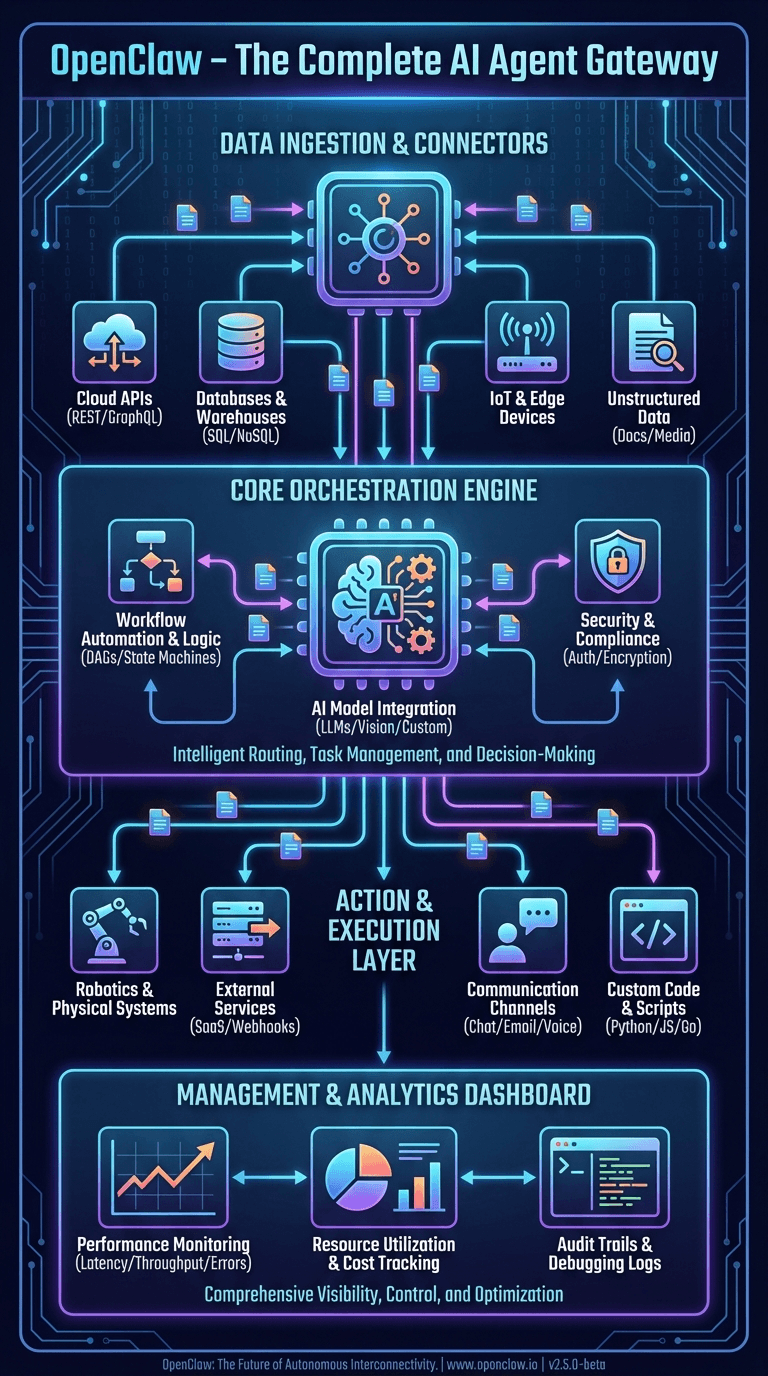
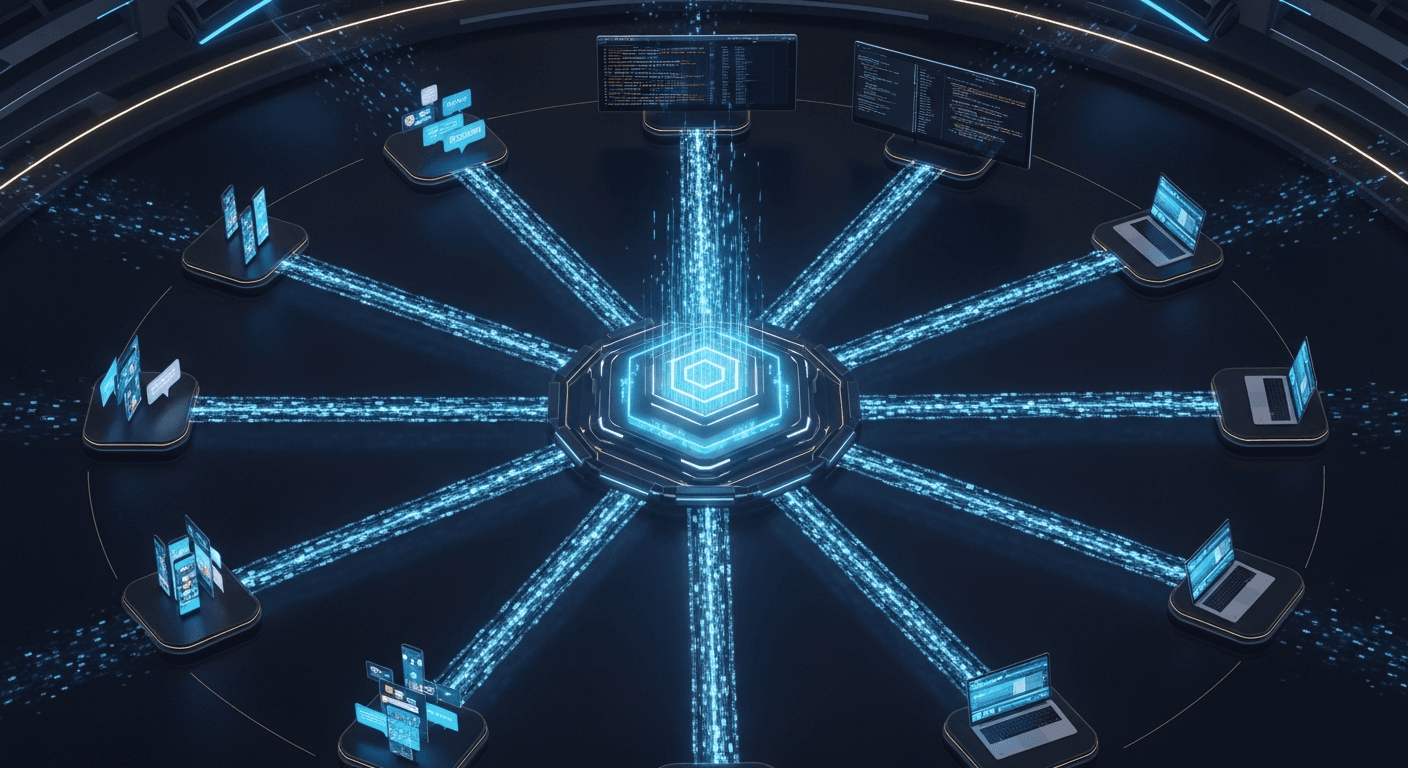
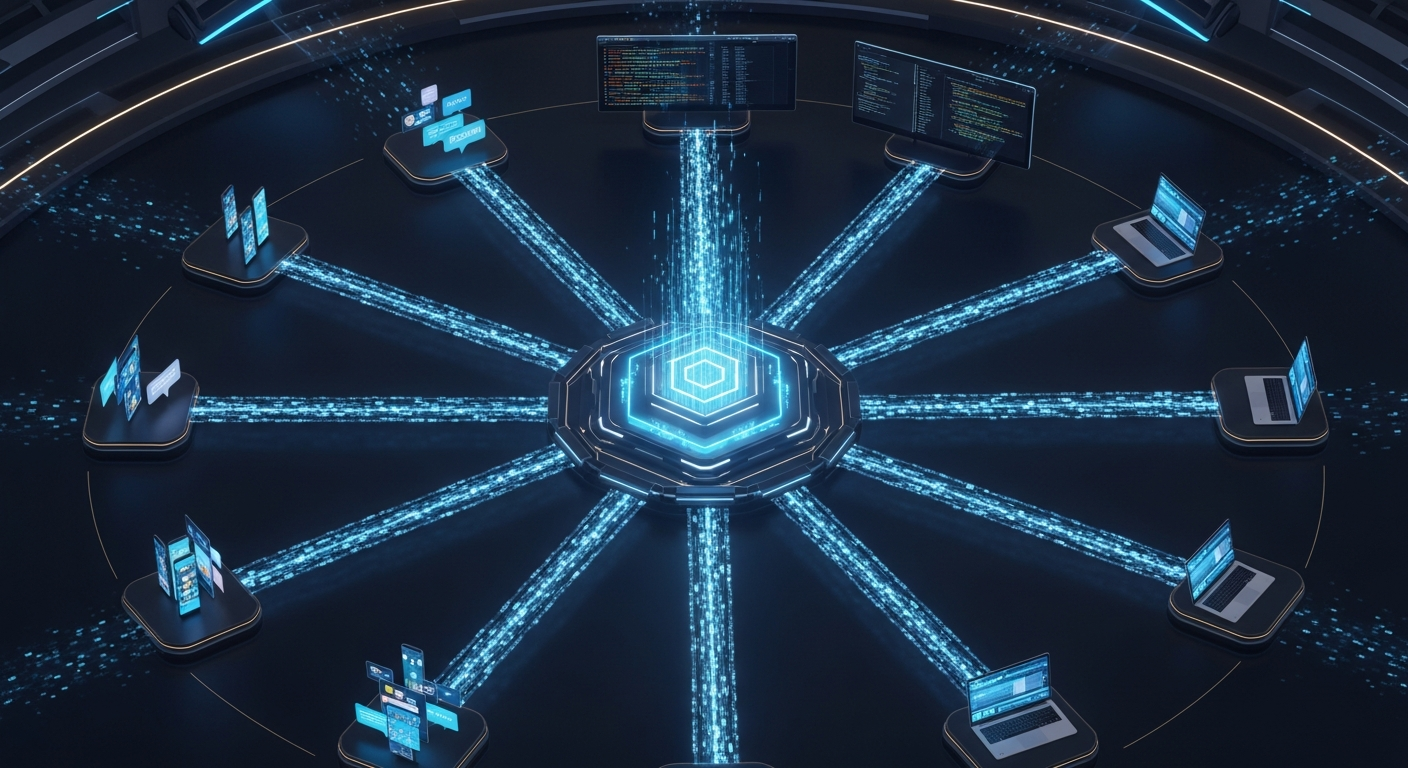
OpenClaw is a gateway-centric agent orchestration platform where every client — CLI, mobile apps, web UI, and 16+ messaging channels — communicates through a single WebSocket/HTTP server that manages sessions, routes messages through an auto-reply pipeline, and executes agent logic with a layered tool policy engine.
If you remember nothing else, remember this: the gateway is the center of everything.
The Directory Map
Before diving into specifics, here's how the monorepo is organized:
openclaw/
├── src/                    # Core TypeScript source (~2.1M tokens)
│   ├── agents/             # Agent execution engine + 60+ tools
│   ├── auto-reply/         # Message processing pipeline
│   ├── gateway/            # WebSocket/HTTP server (port 18789)
│   ├── channels/           # Unified channel abstraction
│   ├── config/             # JSON5 + Zod config system
│   ├── security/           # Audit, scanning, sanitization
│   ├── memory/             # Vector search + file-based memory
│   ├── plugins/            # Plugin runtime + loading
│   ├── cli/                # CLI entry point (Commander.js)
│   ├── commands/           # 50+ CLI commands
│   ├── browser/            # Playwright-based automation
│   ├── tui/                # Terminal UI (Ink/React)
│   ├── daemon/             # Background service (launchd/systemd)
│   └── web/                # Control web UI server
├── extensions/             # 34 plugin extensions (~789k tokens)
├── apps/                   # Native apps (~711k tokens)
│   ├── macos/              # Swift/SwiftUI menu bar app
│   ├── ios/                # Swift/SwiftUI iOS app
│   ├── android/            # Kotlin/Jetpack Compose
│   └── OpenClawKit/        # Shared Swift package
├── ui/                     # Control UI (Lit web components)
├── skills/                 # Bundled skill definitions (markdown)
├── docs/                   # VitePress documentation site
└── test/                   # 971 test files + 50 e2e tests
Build tooling: pnpm monorepo, tsdown bundler, oxlint/oxfmt (Rust-based), Vitest for tests, TypeScript 5.9.
The Gateway: Mission Control
Location: src/gateway/server.impl.ts
Default port: 18789
Protocol: JSON-RPC over WebSocket
The gateway is the single process that makes OpenClaw work. When you run openclaw gateway start, this is what boots up:
- Config loading — JSON5 config parsed, validated against Zod schema, migrated if needed
- Plugin loading — All 34 extensions discovered, validated, and registered
- Channel monitors — Telegram, WhatsApp, Discord, Slack, and other messaging platforms start listening
- WebSocket server — Clients (CLI, apps, web UI) connect here
- mDNS/Bonjour discovery — Gateway broadcasts itself on local network so apps can find it
- Cron service — Scheduled tasks start running
- Config watcher — Hot-reload on config file changes
The gateway exposes 70+ RPC methods organized by domain:
agent.run,agent.wait,agent.abort— Agent executionsessions.list,sessions.send,sessions.spawn— Session managementconfig.get,config.schema,config.patch— Configurationchannels.list,channels.status,channels.link— Channel managementnodes.list,nodes.invoke— Device node control (iOS, macOS, Android)browser.navigate,browser.screenshot— Browser automationcron.list,cron.add,cron.remove— Scheduled tasksmodels.list,models.catalog— LLM provider management
Why this matters for builders: If you're building a management service for OpenClaw agents, you're building a WebSocket client that speaks JSON-RPC to port 18789. Every operation — from sending a message to changing configuration to querying session history — goes through this interface.
Authentication
The gateway supports three authentication modes:
- Token-based — A shared secret token
- Password-based — Username/password pairs
- Tailscale identity — Zero-config auth via Tailscale network identity
For services that manage multiple OpenClaw instances, Tailscale identity is the interesting one — it means you can authenticate to any gateway on the same Tailnet without managing credentials.
The Agent Engine: Where LLMs Meet Tools
Location: src/agents/
Entry point: run-agent.ts → runEmbeddedPiAgent()
Token count: ~630,000 tokens (the largest module)
This is the core of OpenClaw — the loop that sends prompts to LLMs, processes tool calls, and manages agent state.
The Execution Loop
runEmbeddedPiAgent()
  ├── Resolve workspace (agent-specific or session-specific)
  ├── Load config + select model
  ├── Rotate auth profiles (automatic failover)
  ├── Build system prompt (dynamic sections based on context)
  ├── Create tool set (60+ tools, filtered by 9-layer policy)
  ├── Enter agent loop:
  │   ├── Send prompt + tool definitions to LLM
  │   ├── Receive response (text or tool calls)
  │   ├── Execute tool calls (with policy checks)
  │   ├── Append results to conversation
  │   ├── Check context window limits
  │   └── Compact if necessary (automatic summarization)
  └── Stream response blocks back to caller
Auth Profile Rotation
One of the more sophisticated features in the agent engine is automatic auth profile failover. OpenClaw tracks billing errors per profile and rotates to the next available one when a provider rejects requests. The backoff window is configurable from 5 to 24 hours.
This matters if you're running multiple agents or high-traffic deployments — you can configure multiple API keys and OpenClaw will automatically load-balance across them.
The System Prompt Builder
Location: src/agents/system-prompt/
The system prompt isn't a static string. It's assembled dynamically from 17+ sections based on context:
- Identity — "You are a personal assistant running inside OpenClaw"
- Tooling — Available tools with descriptions (filtered by policy)
- Safety — Constitutional AI principles
- Skills — Loaded workspace and bundled skills
- Memory — Search/citation configuration
- CLI reference — Gateway control commands
- Model aliases — Provider shortcuts
- Workspace — Current working directory context
- Sandbox — Container info if sandboxed
- User identity — Owner info for multi-user channels
- Time — Timezone and current timestamp
- Messaging — Cross-session communication rules
- Voice/TTS — Text-to-speech hints
- Documentation — Local docs and community links
- Project context — Embedded files (SOUL.md, CLAUDE.md, etc.)
- Heartbeats — Health check protocol
- Runtime — Platform/model/channel metadata
Why this matters for builders: If you need to customize agent behavior, the system prompt builder is where you'll spend time. Each section can be influenced by configuration. The SOUL.md file detection is particularly interesting — if a file named SOUL.md exists in the workspace, the agent adopts it as a persona definition.
The Tool System: 60+ Capabilities, 9 Policy Layers
Location: src/agents/tools/
Policy engine: src/agents/pi-tools.ts
OpenClaw ships with over 60 tools organized into categories:
Core Tools
- read, write, edit, apply_patch — File operations
- exec — Shell command execution (with PTY support)
- process — Background process management
- grep, find, ls — File search and discovery
Web Tools
- web_search — Brave Search API integration
- web_fetch — URL fetching with Readability extraction
- browser — Full Playwright/CDP browser automation
Communication Tools
- message — Send messages through any connected channel
- sessions_send — Cross-session messaging
- sessions_spawn — Launch new agent sessions
Infrastructure Tools
- memory_search, memory_get — Memory system queries
- cron — Scheduled task management
- canvas — Rich UI rendering
- nodes — Device node invocation (camera, GPS, etc.)
The Tool Interface
Every tool follows the same pattern:
type AgentTool<TSchema, TContext> = {
  label: string;              // Human-readable name
  name: string;               // Tool identifier
  description: string;        // LLM guidance
  parameters: TSchema;        // TypeBox schema
  execute: (
    toolCallId: string,
    params: unknown,
    context?: TContext
  ) => Promise<AgentToolResult>;
}
Tool results return content arrays that can contain text and images:
type AgentToolResult = {
  content: Array<{
    type: "text" | "image";
    text?: string;
    data?: string;        // Base64 for images
    mimeType?: string;
  }>;
}
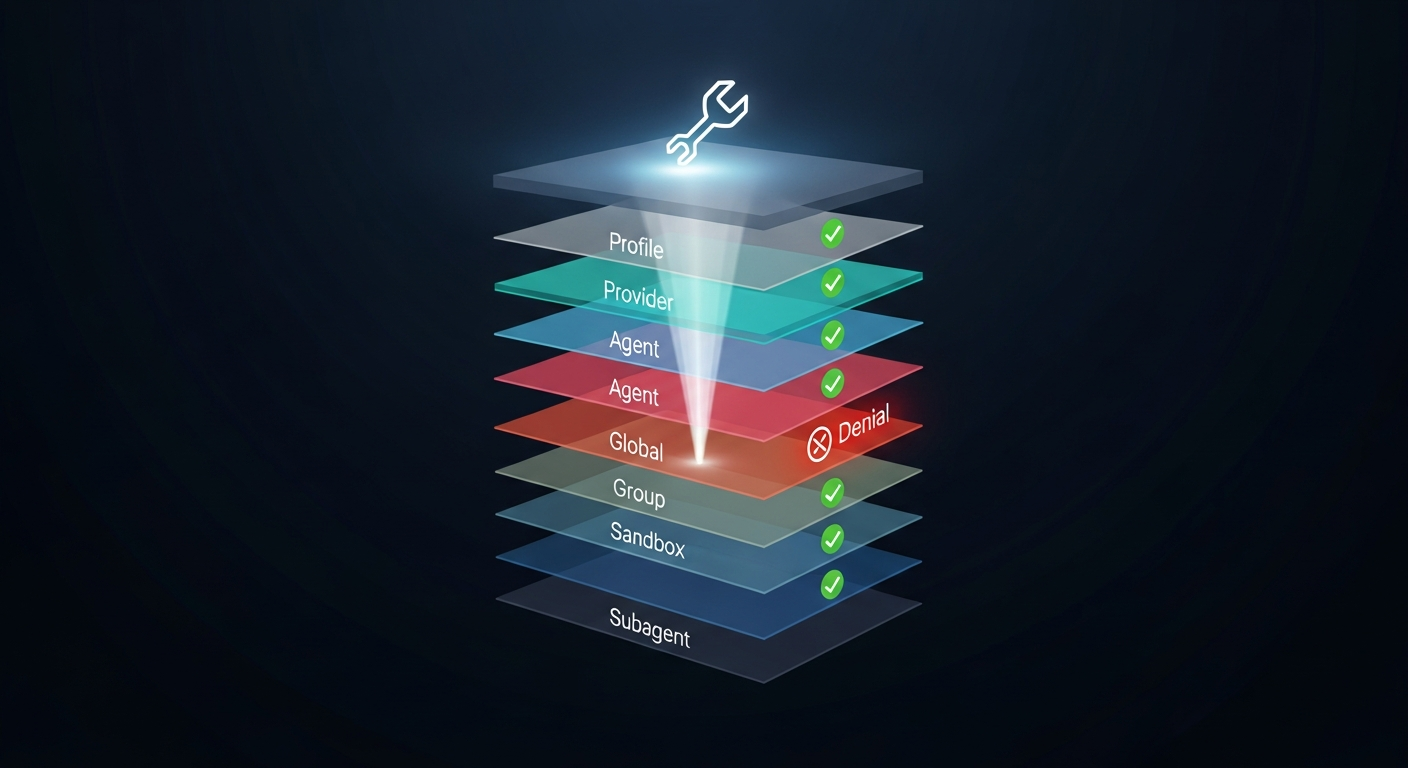
The 9-Layer Policy Engine
This is the security architecture that separates OpenClaw from every other agent framework. Tool access is controlled by nine cascading policy layers, evaluated in order:
- Profile policy — Base access level (minimal, coding, messaging, full)
- Provider-specific profile — Override by LLM provider
- Global policy — Project-wide tool rules
- Provider-specific global — Provider overrides on global
- Per-agent policy — Agent-specific access
- Agent provider policy — Provider overrides per agent
- Group policy — Channel/sender-based rules
- Sandbox policy — Docker isolation restrictions
- Subagent policy — Child agent restrictions
A deny at any layer blocks the tool. No exceptions.
This cascade means you can set broad permissions at the profile level and progressively restrict them for specific contexts. A subagent spawned by the main agent will always have equal or fewer permissions than its parent.
Why this matters for builders: If you're building an agent management platform, you need to understand this policy cascade. When users report "my agent can't do X," the answer is almost always a deny in one of these nine layers. Your management UI should expose all nine layers for debugging.
The Plugin System: How Extensions Work
Location: src/plugins/ + extensions/
SDK: extensions/src/plugin-sdk/index.ts
Count: 34 bundled extensions
The plugin system is how OpenClaw achieves its breadth. Every messaging channel, memory backend, auth provider, and many tools are implemented as plugins.
Plugin Loading Flow
loadOpenClawPlugins()
  ├── Discover plugins from:
  │   ├── Bundled (dist/extensions/)
  │   ├── User extensions (~/.openclaw/extensions/)
  │   └── Workspace (./extensions/)
  ├── Load manifest (package.json + PLUGIN.md)
  ├── Check allowlist/denylist
  ├── Validate config against JSON Schema
  ├── Load module via Jiti (supports TS/JS/JSON)
  ├── Call register() or activate()
  ├── Track registered tools/hooks/channels
  └── Cache registry (by workspace + config hash)
Plugin Registration Pattern
Every extension follows the same contract:
const plugin = {
  id: "my-extension",
  name: "My Extension",
  description: "Does something useful",
  configSchema: myZodSchema,
  register(api: OpenClawPluginApi) {
    // Register capabilities
    api.registerChannel({ plugin: channelImpl });
    api.registerTool(myTool);
    api.registerCli(myCommands);
    api.registerService(myService);
    api.registerGatewayMethod("my.method", handler);
    api.on("before_agent_start", myHook);
  }
}
export default plugin;
The OpenClawPluginApi is the surface area you need to know. Through it, plugins can register:
- Channels — Messaging platform integrations
- Tools — New agent capabilities
- CLI commands — New terminal commands
- Services — Background processes
- Gateway methods — New RPC endpoints
- Hooks — Lifecycle event handlers
- HTTP handlers — REST endpoint extensions
The 34 Bundled Extensions
| Category | Extensions |
|---|---|
| Messaging | WhatsApp, Signal, iMessage (BlueBubbles), LINE, Matrix, MS Teams, Nostr, Google Chat, Feishu, Zalo, Mattermost, Nextcloud Talk, Tlon, Twitch |
| Voice | voice-call, talk-voice, phone-control |
| Memory | memory-core, memory-lancedb |
| Auth | google-antigravity-auth, google-gemini-cli-auth, minimax-portal-auth, copilot-proxy |
| Tools | llm-task, open-prose, lobster |
| Infra | device-pair, diagnostics-otel |
Why this matters for builders: The plugin SDK at extensions/src/plugin-sdk/index.ts is the only stable API surface. It exports 390+ types. Internal types are explicitly not guaranteed stable. If you're building integrations, import only from the plugin SDK.
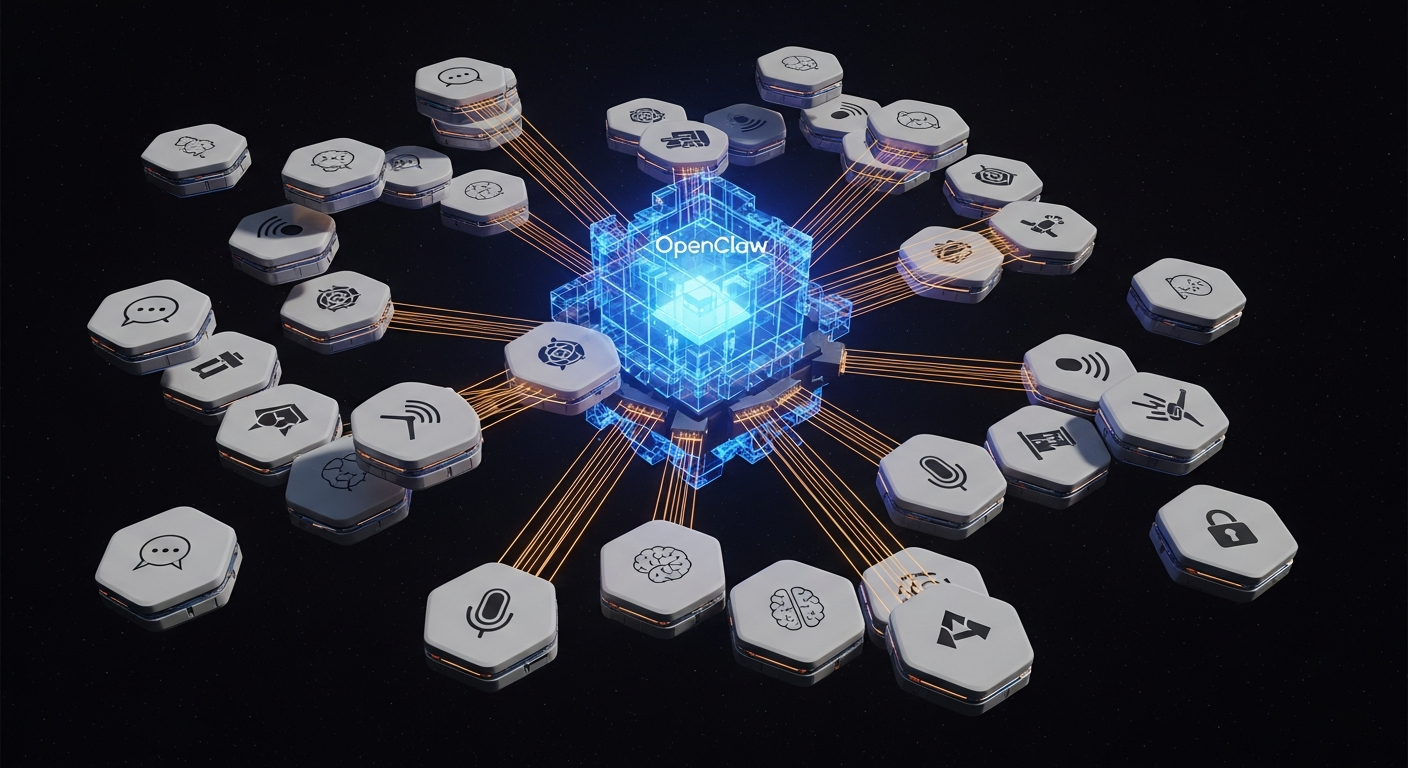
The Channel Abstraction: One Interface, 16+ Platforms
Location: src/channels/types.ts
Every messaging platform implements the ChannelPlugin interface — a comprehensive contract with 20+ adapter slots:
Core Adapters (Required)
- config — Account resolution and credential validation
- outbound — Message formatting and delivery
- status — Health checks and diagnostics
Optional Adapters
- setup — Interactive configuration wizard
- pairing — Device pairing flows
- security — DM policies and allowlists
- groups — Group chat handling
- mentions — @mention detection and gating
- streaming — Typing indicators
- threading — Reply-to support
- messaging — Rich text formatting (markdown, mentions, links)
- actions — React, edit, unsend capabilities
- heartbeat — Keepalive monitoring
- agentTools — Channel-specific tools (e.g., Telegram reactions)
- directory — Contact and group lookup
- gateway — Custom gateway RPC methods
- agentPrompt — Channel-specific system prompt hints
Adding a New Channel
If you want to add a new messaging platform, here's the path:
- Create
extensions/ext-<name>/src/index.ts - Implement
ChannelPluginwith at minimum: config, outbound, and status adapters - Register via
api.registerChannel({ plugin }) - Add a config schema so users can configure it through the UI
The channel plugin pattern handles all the complexity of: monitoring incoming messages, resolving sender identity, checking security policies, formatting outbound messages for the platform, and reporting health status.
Why this matters for builders: If you're integrating OpenClaw with a proprietary messaging system (enterprise chat, gaming platform, IoT device), this is the interface you implement. The pattern is proven across 16 platforms, so you know it handles edge cases.
The Auto-Reply Pipeline: From Message to Response
Location: src/auto-reply/
Entry point: get-reply.ts → getReplyFromConfig()
When a message arrives from any channel, it flows through this pipeline:
Incoming message
  ├── Parse (extract text, media, metadata)
  ├── Authorize (check DM policy, allowlists)
  ├── Debounce (batch rapid messages from same sender)
  ├── Session init (resolve or create session)
  ├── Command check (slash commands like /status, /help)
  ├── Trigger check (keyword or pattern matches)
  ├── Directives (pre/post processing decorators)
  ├── Queue (handle concurrency by mode)
  ├── Agent execution (the main LLM loop)
  └── Response streaming (block coalescing + delivery)
Queue Modes
The queue system controls how concurrent messages are handled per session:
- steer — New messages update the current prompt (default)
- interrupt — New messages abort current processing and start fresh
- followup — New messages queue behind current processing
- collect — Batch multiple messages before processing
- steer-backlog — Steer with backlog awareness
Why this matters for builders: If you're building a high-throughput agent service, queue mode selection is critical. For customer support agents, followup prevents message loss. For real-time assistants, steer gives the most responsive feel. For batch processing, collect reduces LLM calls.
Block Streaming
Responses aren't sent as monolithic messages. They're streamed as blocks — chunks of content that get coalesced and delivered according to the channel's capabilities. This means:
- Fast channels (WebSocket clients) get near-real-time streaming
- Rate-limited channels (WhatsApp, Telegram) get coalesced batches
- The agent can send partial responses while still thinking
The Memory System: Hybrid Search at the Core
Location: src/memory/manager.ts
Backend: SQLite with FTS5 + sqlite-vec extension
OpenClaw's memory system isn't just "save and retrieve." It's a hybrid BM25 + vector search engine backed by SQLite.
How Memory Works
Memory Sources:
  ├── MEMORY.md + memory/**/*.md  (persistent notes)
  ├── Session transcripts          (conversation history)
  └── Extra paths                  (custom directories)

Sync Process:
  ├── List files, hash for changes
  ├── Chunk markdown (configurable token size + overlap)
  ├── Batch embed chunks via:
  │   ├── OpenAI (text-embedding-3-large/small)
  │   ├── Gemini (text-embedding-004)
  │   ├── Voyage (voyage-3, voyage-code-3)
  │   └── Local (node-llama-cpp GGUF models)
  ├── Insert into SQLite (FTS5 + vector columns)
  └── Mark clean

Search:
  ├── BM25 keyword search (FTS5)
  ├── Vector similarity search (sqlite-vec)
  ├── Hybrid merge (configurable weights, default 50/50)
  ├── Filter by minimum score
  └── Return top results
Key Design Decisions
- SQLite over dedicated vector DB: Keeps everything local, no external services needed
- Hybrid search: Pure vector search misses keyword matches; pure BM25 misses semantic similarity. The 50/50 default works well in practice
- Batch embedding APIs: Uses provider batch APIs (OpenAI, Gemini, Voyage) when available to reduce latency
- Content hashing: Only re-embeds chunks when content changes, saving API costs
- Watch mode: File watcher auto-reindexes when memory files change
Why this matters for builders: If you're building a memory-enhanced service on top of OpenClaw, understand that the memory plugin system has an exclusive "slot" mechanism. Only one memory backend can be active at a time (currently memory-core or memory-lancedb). If you're building a custom memory backend, you're replacing the default, not supplementing it.
The Sandbox: Docker-Based Isolation
Location: src/agents/sandbox/
When an agent executes code or shell commands, it can run inside a Docker container for isolation. The sandbox system has three levels of scope:
- session — One container per session (strictest isolation)
- agent — Shared container across all sessions for an agent
- shared — Global container (minimal isolation)
And three levels of workspace access:
- none — Completely isolated filesystem
- ro — Read-only mount of the agent's workspace
- rw — Full read-write access
The sandbox also manages browser isolation — each sandboxed session can get its own Playwright browser instance running inside the container.
Configuration:
{
  sandbox: {
    mode: "non-main",        // Sandbox non-main agents
    scope: "session",        // Per-session isolation
    workspaceAccess: "ro",   // Read-only workspace
    docker: { image: "openclaw-sandbox:latest" },
    prune: { maxIdleMinutes: 30 }
  }
}
The sandbox prune system automatically cleans up idle containers, which matters for services running many concurrent agents.
The Config System: JSON5 + Zod + Hot Reload
Location: src/config/
OpenClaw's configuration is more sophisticated than most realize:
- Format: JSON5 (supports comments, trailing commas, unquoted keys)
- Validation: Zod schema with 20+ sections
- Environment variables:
${ENV_VAR}interpolation in config values - Hot reload: File watcher triggers re-validation and applies changes without restart
- Migration: Automatic migration across config format versions
Config Schema Highlights
The Zod schema (OpenClawSchema) covers:
- Gateway — Bind address, port, auth, TLS, Tailscale
- Agents — Model selection, tool policies, workspace paths
- Channels — Per-channel credentials and settings
- Memory — Embedding provider, search weights, sync settings
- Sandbox — Docker config, scope, prune rules
- Skills — Allowlists, workspace paths
- Plugins — Enable/disable, per-plugin config
- Security — SSRF rules, exec approvals
- Cron — Scheduled task definitions
Why this matters for builders: The config schema is available programmatically via the config.schema RPC method. If you're building a management UI, you can dynamically generate configuration forms from this schema — it includes UI hints (labels, help text, placeholders, sensitivity flags) for every field.
The Security Architecture: Defense in Depth
Location: src/security/
Three components work together:
Security Audit (audit.ts)
Runs 30+ automated checks across:
- Filesystem permissions — Config file and state directory permissions
- Gateway config — LAN binding without auth, missing trusted proxies
- Channel security — Open DM policies, missing allowlists
- Attack surface — Hooks hardening, model hygiene, secret exposure, plugin trust
Each finding has a severity level: critical, warn, or info with specific remediation steps.
Skill Scanner (skill-scanner.ts)
Pattern-based vulnerability detection for loaded skills:
- Command injection patterns
- Data exfiltration attempts
- Suspicious URL patterns
- File system traversal
Content Sanitizer (sanitize.ts)
Detects prompt injection in user messages and tool results with 15+ detection patterns.
Why this matters for builders: If you're running an agent management service where users can install custom skills, the skill scanner is your first line of defense. Run scanSkill() on every skill before allowing installation. The security audit (runSecurityAudit()) should be part of your deployment health checks.
The Native Apps: Nodes in the Network
Location: apps/
The native apps aren't just chat clients. They're nodes — devices that expose capabilities to the agent through the gateway.
macOS App (Swift/SwiftUI)
- Menu bar application with popover chat
- Sparkle auto-updates
- Exposes: screenshots, clipboard, notifications
iOS App (Swift/SwiftUI)
- Shared
OpenClawKitpackage with macOS - Exposes: camera, GPS, contacts, calendar, health data
- MVVM architecture with service layer
Android App (Kotlin/Jetpack Compose)
- Foreground service for persistent connection
- Material 3 design
- Hilt dependency injection
All native apps communicate via Gateway Protocol v3 over WebSocket. The node registry in the gateway tracks connected devices and their capabilities.
Why this matters for builders: If you're building a mobile app that integrates with OpenClaw, study OpenClawKit — it's the shared Swift package that implements the Gateway Protocol. For Android, the Kotlin implementation is independent but follows the same protocol. Your app can register as a node and expose custom capabilities that agents can invoke.
The Daemon: Running as a System Service
Location: src/daemon/
OpenClaw includes platform-native service management:
| Platform | Service Type | Manager |
|---|---|---|
| macOS | LaunchAgent | launchd |
| Linux | User service | systemd |
| Windows | Scheduled Task | schtasks |
The daemon abstraction (GatewayService) provides a unified interface: install(), uninstall(), stop(), restart(), isLoaded(), readRuntime().
Why this matters for builders: If you're deploying OpenClaw at scale, you need the daemon. The readRuntime() method gives you PID, status, last exit code, and platform-specific state — everything you need for monitoring dashboards.
The CLI: 50+ Commands with Fast Routes
Location: src/cli/ + src/commands/
The CLI is built on Commander.js with two performance optimizations:
- Lazy loading — Commands are only loaded when invoked (34 sub-CLIs)
- Fast routes — Performance-critical paths bypass Commander.js entirely
Key command groups:
openclaw agent— Launch TUI for interactive chatopenclaw gateway start|stop|restart|status— Service managementopenclaw channels list|status|link|unlink— Channel operationsopenclaw sandbox list|prune|inspect— Container managementopenclaw memory search|status|index— Memory operationsopenclaw health— System health checkopenclaw doctor— Diagnostic scan
Why this matters for builders: If you're building CLI tooling that wraps OpenClaw, use the gateway RPC methods instead of shelling out to the CLI. The RPC interface is more stable and doesn't have the overhead of process spawning.
The Web UI: Lit Components
Location: ui/
Framework: Lit web components with legacy decorators
Entry point: ui/src/main.ts
The Control UI communicates with the gateway via WebSocket and provides:
- Chat interface with streaming
- Configuration editor (auto-generated from schema)
- Session management
- Channel status monitoring
- Tool execution approval
The UI is served by the gateway's built-in HTTP server, making it accessible at the same address as the WebSocket endpoint.
Building in the OpenClaw Ecosystem: What You Need to Know
If You're Building an Agent Management Service
- Connect via WebSocket to port 18789, authenticate, and use JSON-RPC
- Use
config.schemato dynamically generate configuration UIs - Monitor with
gateway.statusandchannels.statusfor health data - Understand the 9-layer tool policy — it's the #1 source of "why can't my agent do X" questions
- Use Tailscale auth for multi-instance management without credential juggling
If You're Building a New Channel Integration
- Create an extension in
extensions/ext-<name>/ - Implement
ChannelPlugin— at minimum: config, outbound, status adapters - Register via
api.registerChannel()in your plugin'sregister()function - Test with
probe()— the health check is how the system verifies connectivity - Import only from
plugin-sdk— internal types can change between versions
If You're Forking for Custom Use
- Start at
src/gateway/server.impl.ts— this is the entry point for everything - The agent loop is in
src/agents/run-agent.ts— this is where LLM calls happen - Config schema is in
src/config/schema.ts— add your custom fields here - System prompt is assembled in
src/agents/system-prompt/— customize agent behavior here - Test with
pnpm test— 971 test files, don't skip them
If You're Building Tools or Skills
- Tools are TypeScript — implement the
AgentToolinterface with TypeBox schemas - Skills are Markdown —
SKILL.mdfiles with frontmatter metadata, loaded at runtime - Tool policy applies — your tool must be allowed at all 9 policy layers
- Skills can override tools — a skill's frontmatter can declare tool availability
- Skills hot-reload — file changes are detected within 30 seconds
Where OpenClaw Is Heading
Based on the codebase structure, several directions are clear:
- Agent Client Protocol (ACP) — The
@agentclientprotocol/sdkdependency suggests standardized agent-to-agent communication is coming - Multi-model orchestration — Auth profile rotation and provider-specific policies are designed for environments running multiple LLMs simultaneously
- Edge deployment — The Tailscale integration, mDNS discovery, and lightweight daemon architecture point toward distributed agent networks
- Enterprise sandboxing — The 3-tier sandbox scope (session/agent/shared) with configurable prune rules is enterprise-grade isolation
- Voice-first interfaces — Three voice-related extensions (voice-call, talk-voice, phone-control) signal voice as a primary interaction mode
The plugin SDK (390+ exported types) and the gateway RPC surface (70+ methods) are the two stable APIs that will define the ecosystem. Build on those, and you're building on solid ground.
The Bottom Line
OpenClaw isn't just a chatbot framework. It's a platform operating system for AI agents — with a gateway at the center, channels on the edges, tools in the engine room, and a plugin system that lets anyone extend any part of it.
The codebase is 6.8 million tokens across 4,885 files. But the architecture is clean: gateway → auto-reply pipeline → agent engine → tools, all governed by a 9-layer policy system and extensible through a well-defined plugin SDK.
If you're building in this ecosystem, you now know where everything lives and how it connects. Start at the gateway. Follow the data flow. And build on the plugin SDK — it's the stable surface designed for exactly this purpose.
The agents are coming. OpenClaw is the infrastructure they'll run on. Now you know how it works from the inside.
This analysis is based on a complete mapping of the OpenClaw repository — all 4,885 files and 6.8 million tokens of source code.
Want to build on OpenClaw? Join the Global Builders Club community where we run regular workshops on agent infrastructure, host co-building sessions, and help developers ship their first OpenClaw integrations.
Written by
Global Builders Club
Global Builders Club
If you found this content valuable, consider donating with crypto.
Suggested Donation: $5-15
Donation Wallet:
0xEc8d88...6EBdF8Accepts:
Supported Chains:
Your support helps Global Builders Club continue creating valuable content and events for the community.